Requirement: * A Minecraft server Make sure you are using a hosted minecraft server to ensure that you can setup the subdomain. STEP 1 Head to our subdomain creator tool and once you are there, you will see this: STEP 2 Select the domain you would like to create a subdomain
Requirement:
* A Minecraft server
Make sure you are using a hosted minecraft server to ensure that you can setup the subdomain.
STEP 1
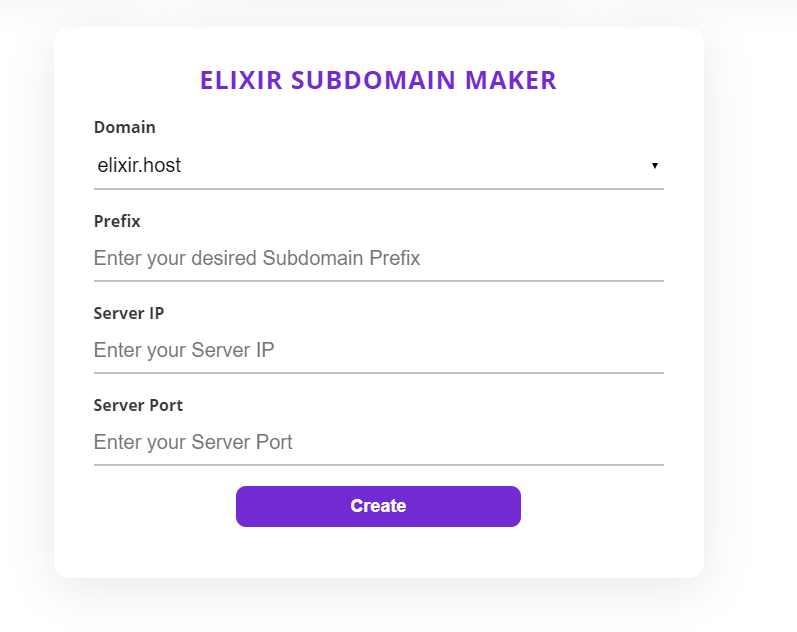
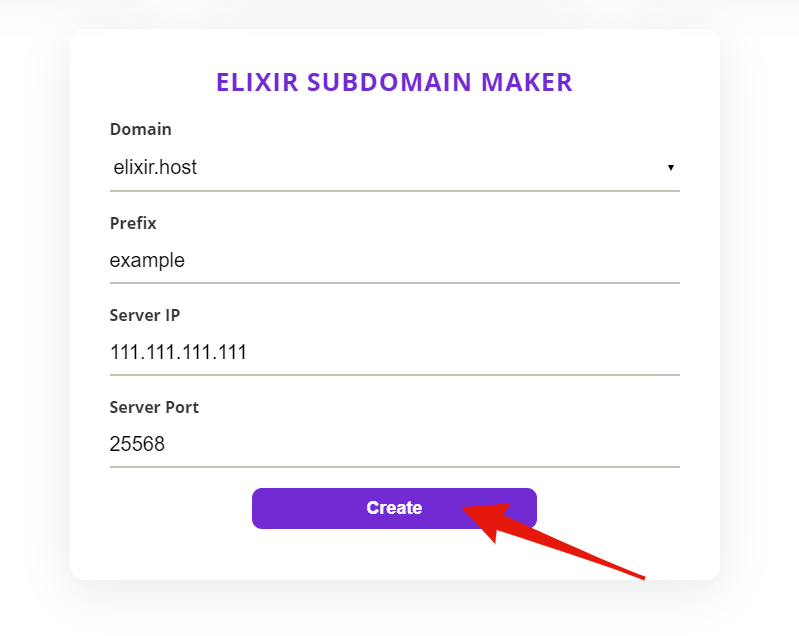
Head to our subdomain creator tool and once you are there, you will see this:
STEP 2
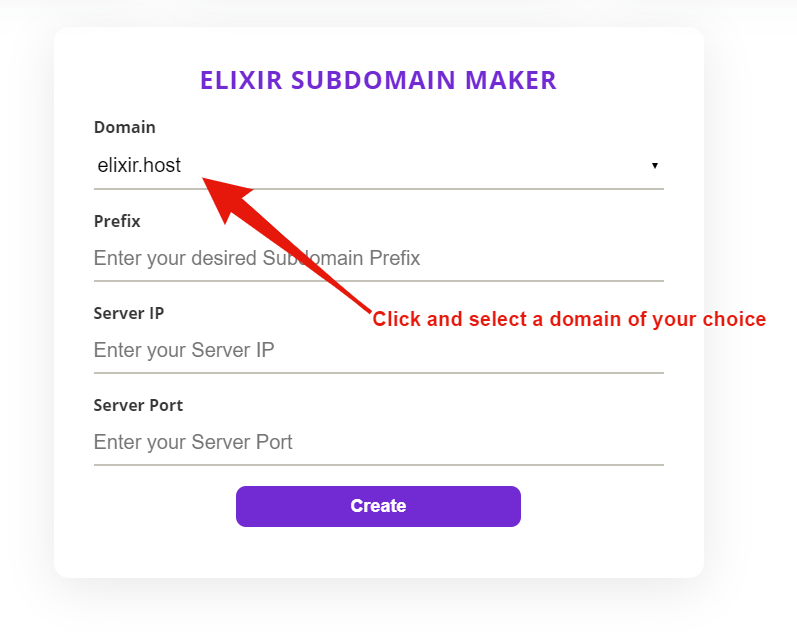
Select the domain you would like to create a subdomain to, for example: If we choose elixir.host, our server will be example.elixir.host
STEP 3
We will now enter the details into each space.
For Prefix: You will enter the name of the subdomain you’d like to use if we enter “example” you will create the subdomain example.elixir.host (or the domain you chose).
For Server IP: Simply copy and paste the numerical IP of your server, without the port.
For Server Port: Enter the port of your server (if you have a dedicated IP, you still need to put the port 25565).
Once you have done that, click create, and you’re all set!
FREE game server, VPS, web host, dedicated IP & more on most plans!
Get Started