Let’s Encrypt is a free Secure Socket Layer (SSL) certificate provider funded by the Electronic Frontier Foundation (EFF) Let’s Encrypt uses a program called Certbot to install and use your certificate on your vps hosting. STEP 1. This tutorial assumes you are using Ubuntu and the Apache Web
Let’s Encrypt is a free Secure Socket Layer (SSL) certificate provider funded by the Electronic Frontier Foundation (EFF) Let’s Encrypt uses a program called Certbot to install and use your certificate on your vps hosting.
STEP 1.
This tutorial assumes you are using Ubuntu and the Apache Web server on your vps host. You can find more information on getting Certbot (Let’s Encrypt) on your vps server on Certbot.
First things first. Make sure all of your software repositories are updated and that your system has Certbot’s software available. sudo apt updatesudo apt-get install software-properties-commonsudo add-apt-repository universesudo apt-get update
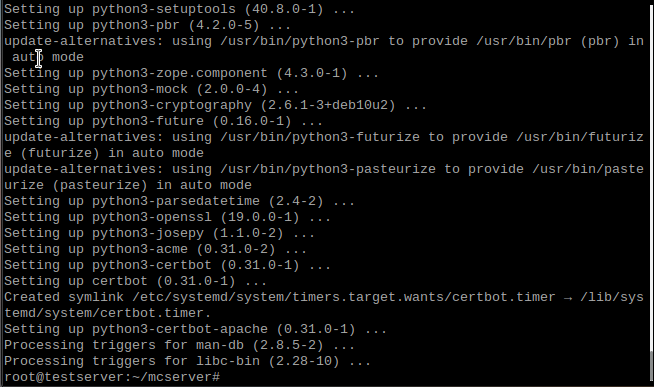
Install Certbot with the following command:sudo apt-get install certbot python3-certbot-apache
STEP 2.
Obtain a certificate with one of the two follwing commands. sudo certbot --apache
Or if you just want a certificate without web-server configurationsudo certbot certonly --apache
Follow the instructions and enter the information as accurately as you can. This is vital for when it asks you to enter a host name (if applicable). Once this is done you can go to https://your-domian.tld and you should have a green SSL lock in your web browser!
You can test the automatic renewal with this commandsudo certbot renew --dry-run


If you still need help or have any further questions, contact us.
FREE game server, VPS, web host, dedicated IP & more on most plans!
Get Started