
This article will simply show you how to copy-paste your game panel link of your server so that the support team is able to quickly help you out! STEP 1 Login to the game panel and click on “Manage” for the server(s) you wish to receive help on. STEP
This article will simply show you how to copy-paste your game panel link of your server so that the support team is able to quickly help you out!
STEP 1
Login to the game panel and click on “Manage” for the server(s) you wish to receive help on.

STEP 2
Once you are here on the server overview simply copy the link from your browser and this will be the link you will paste into your ticket!
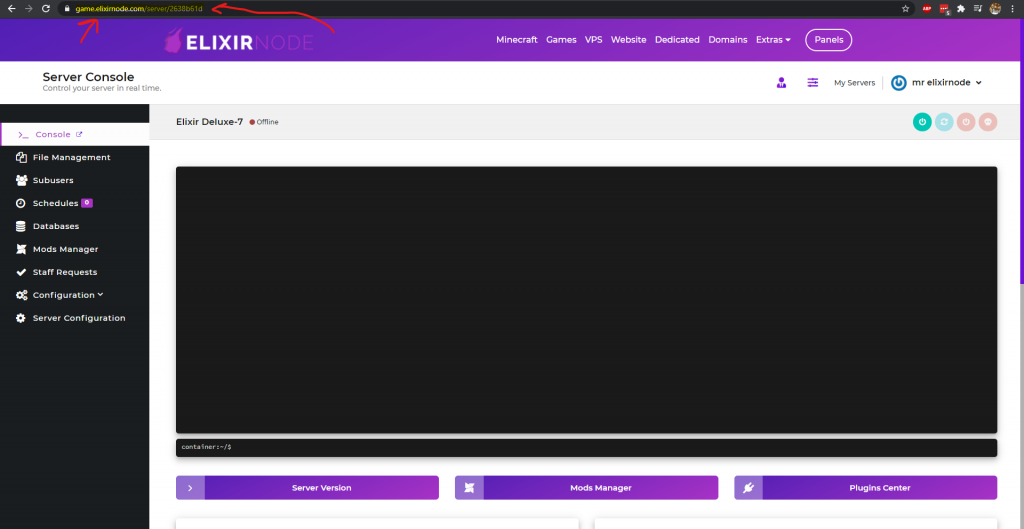
– We require clients to copy-paste game panel link for us to get to your server faster and to request access to your server for non-managers.
– To learn how to approve access to the support team whom will use this link to request access, go here.
If you have any further questions or need help, contact us.
FREE game server, VPS, web host, dedicated IP & more on most plans!
Get Started