
This article will show you how to get info for your votifier IP and port. STEP 1 Login to the game panel and head to “Configuration > Allocated Ports“ After that, you will see your allocated ports, the port with the 4 digits usually is the port you should use.
This article will show you how to get info for your votifier IP and port.
STEP 1
Login to the game panel and head to “Configuration > Allocated Ports“
After that, you will see your allocated ports, the port with the 4 digits usually is the port you should use. Remember this port for your configuration which is the next step.

STEP 2
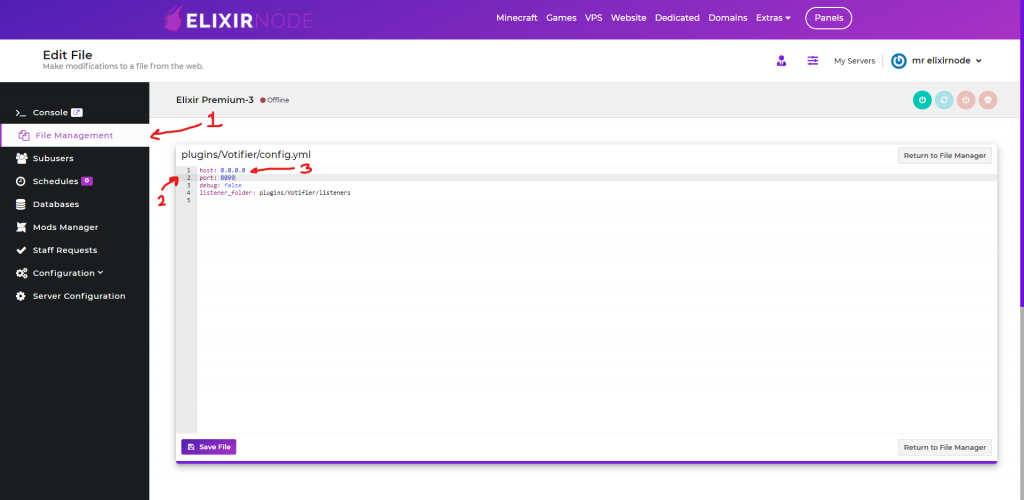
Head to “File Manager” and into the “Votifier config.yml“
Once here you will see “port” place, simply insert the port from previous step. As for the IP, simply use “0.0.0.0“.
After that, save the file and restart your server!
If you need any further help or have any questions contact us.
FREE game server, VPS, web host, dedicated IP & more on most plans!
Get Started