In this article you will be shown how to install mods and plugins on your CSGO server through the game panel. STEP 1 Login to your Game Panel and click on “Manage“. STEP 2 Download any mod or plugin compatible with your csgo hosting from websites such as GitHub or
In this article you will be shown how to install mods and plugins on your CSGO server through the game panel.
STEP 1
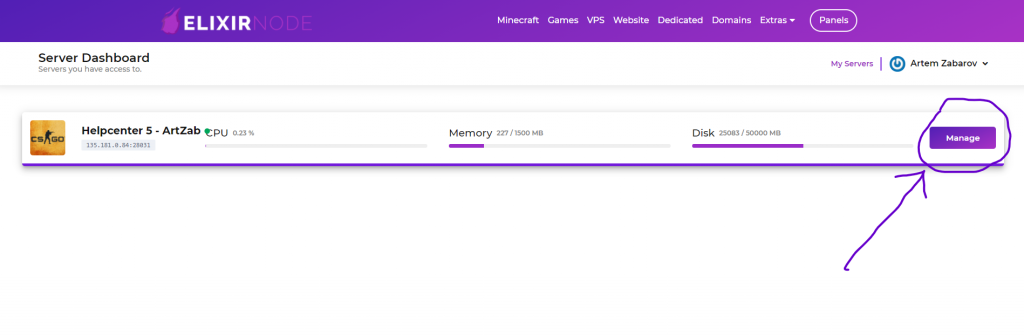
Login to your Game Panel and click on “Manage“.
STEP 2
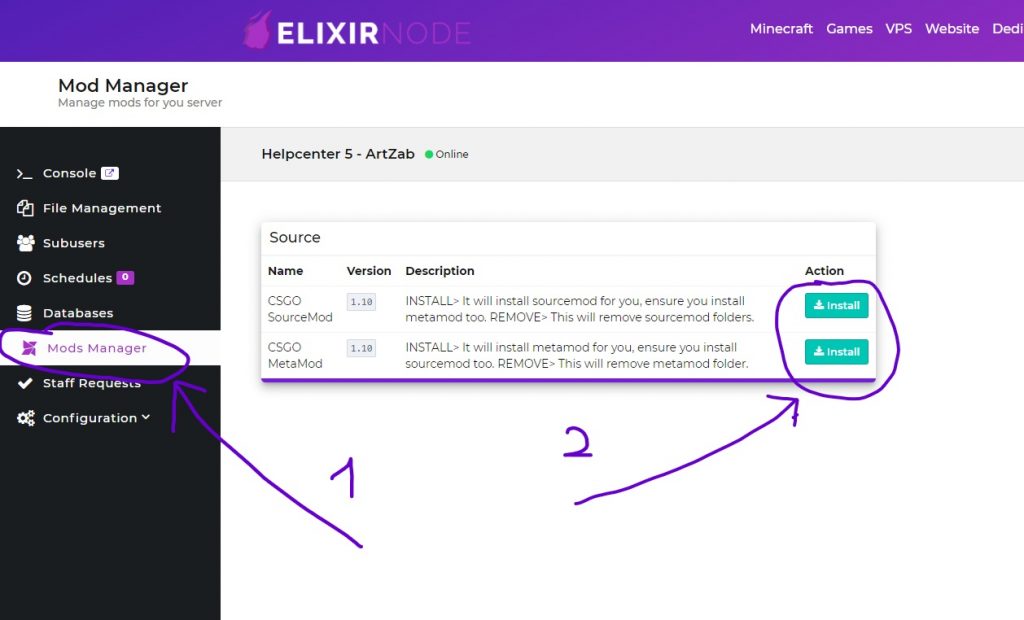
Download any mod or plugin compatible with your csgo hosting from websites such as GitHub or AlliedModders. You will also need to download “Sourcemod” and “Metamod“ for some of the mods, if you don’t have them already: click on “Mods Manager” then click on “Install” for both Sourcemod and Metamod.
STEP 3
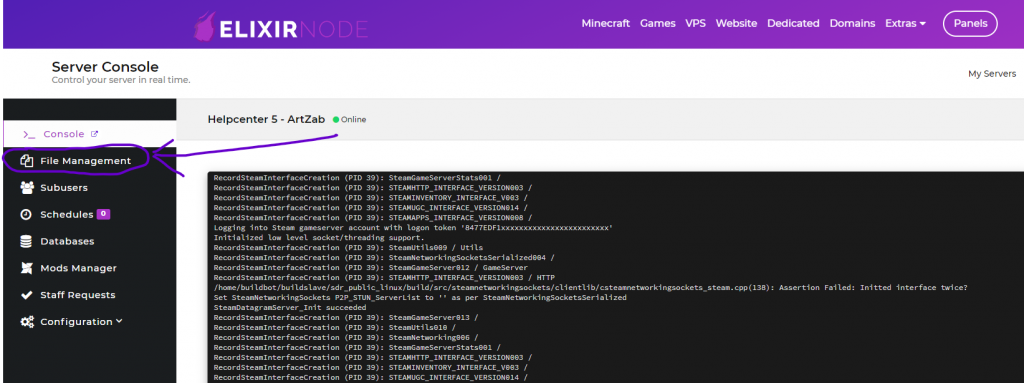
Click on “File Management” on the left-hand side of the screen. You will be brought to the File Manager where you can manage your csgo hosting files.
STEP 4
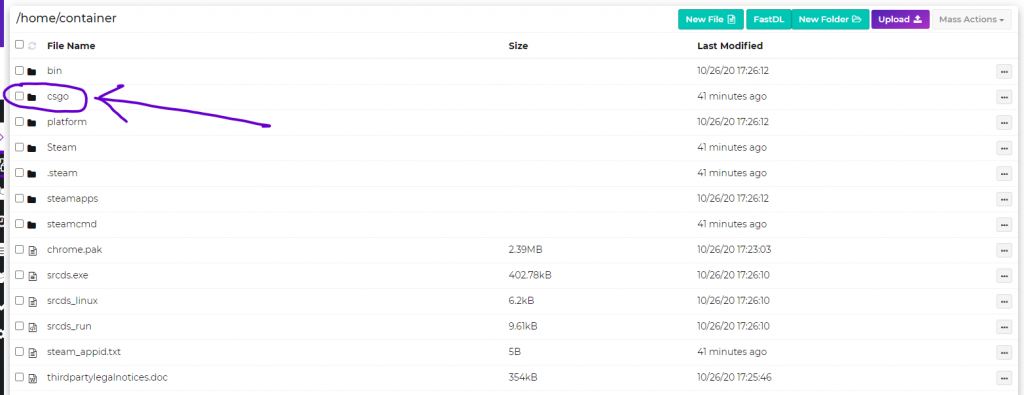
Once there, click on the “csgo” folder. This is where the mods and plugins will be uploaded for your csgo hosting.
STEP 5
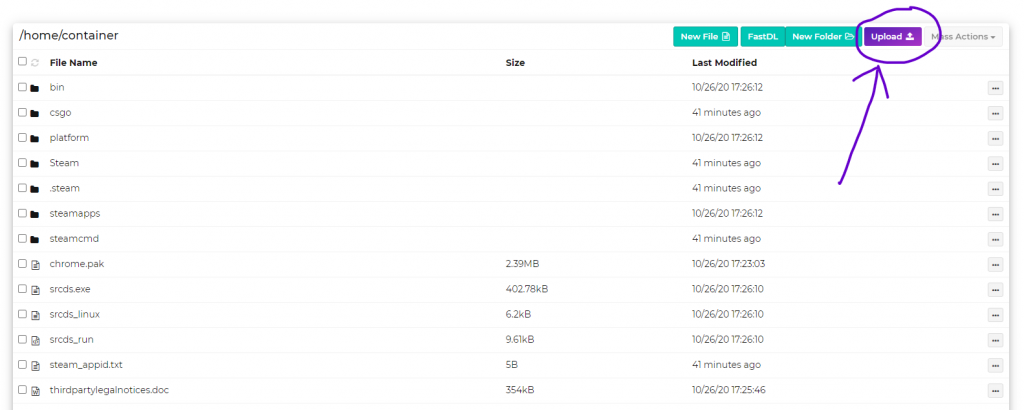
Press the “Upload” button and choose the files from STEP 2.
STEP 6
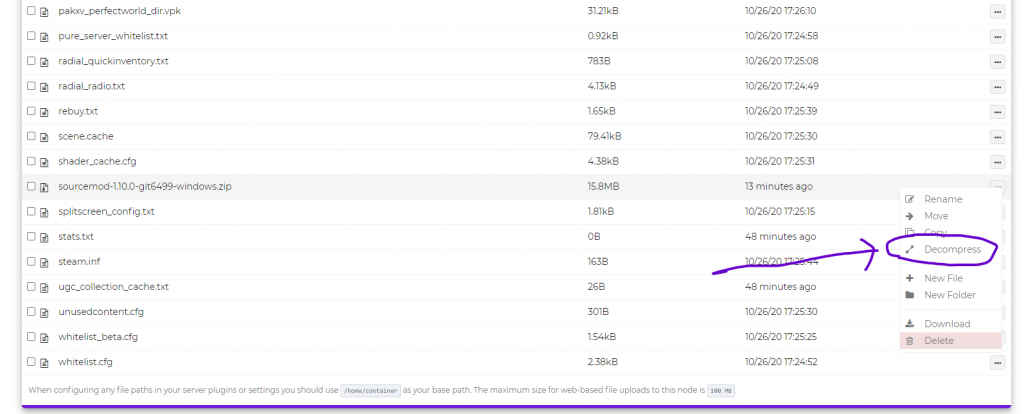
Once all the files are uploaded, click on the three dots on the right side of the file and select “Decompress”.
STEP 7
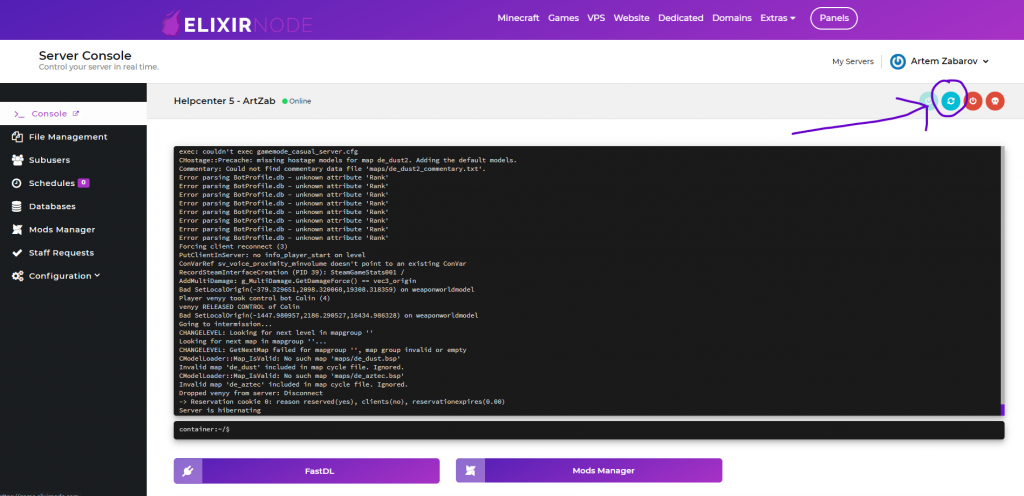
Restart your csgo host and enjoy!
If you still need help or have any questions then contact us.
FREE game server, VPS, web host, dedicated IP & more on most plans!
Get Started