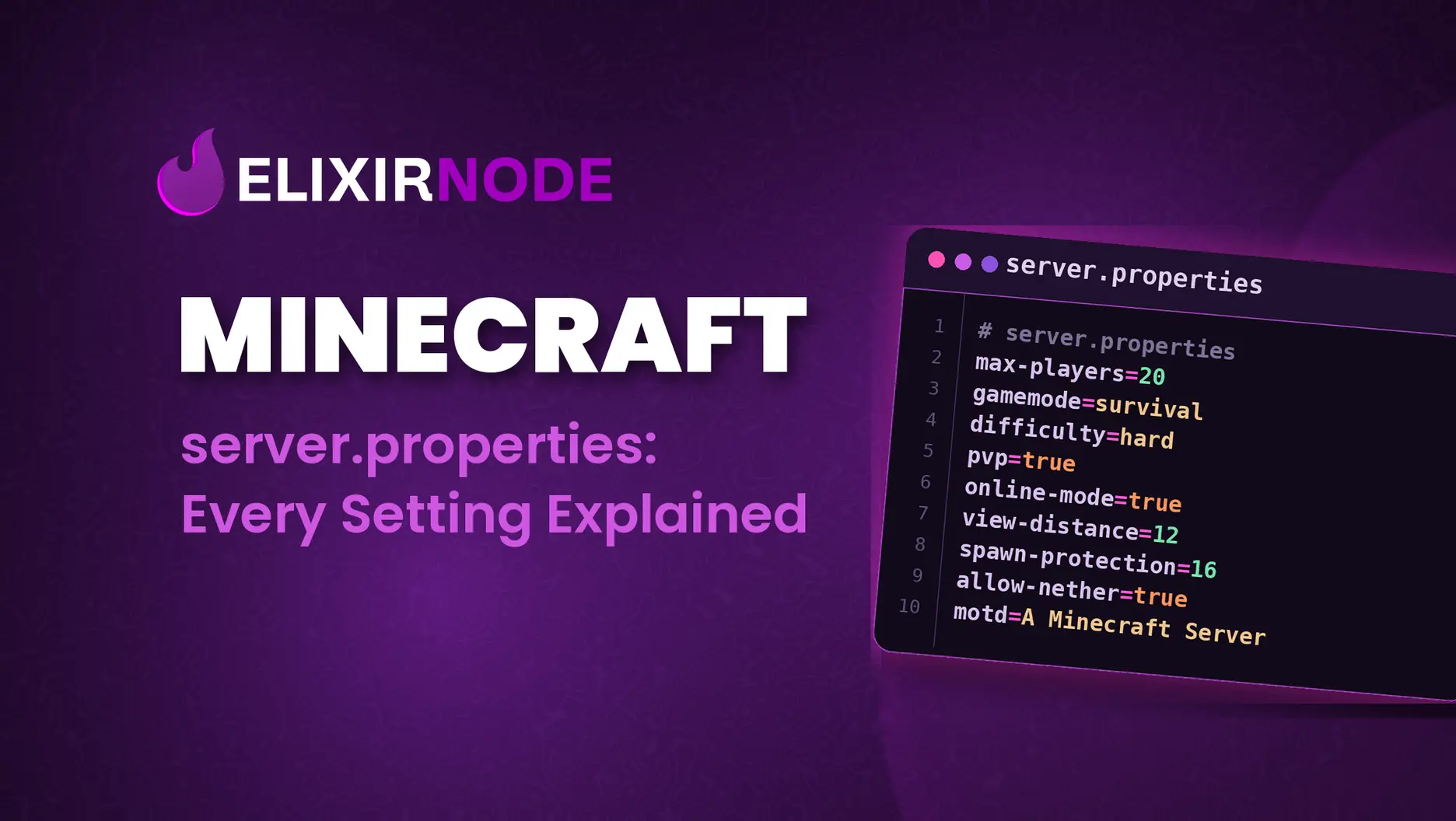
Minecraft Server's server.properties: All of Its Settings Explained A Minecraft server's server.properties is the main text file that controls how your Java Edition Minecraft server behaves. It sits in your server's root folder and stores one setting per line in a simple
Minecraft Server's server.properties: All of Its Settings Explained
A Minecraft server's server.properties is the main text file that controls how your Java Edition Minecraft server behaves. It sits in your server's root folder and stores one setting per line in a simple key=value format, which shows the motd players see, how many can join, difficulty, world seed, view distance, ports, whitelist, and dozens more. Edit the value you want, restart the server, and the change takes effect.
The single mistake that trips people up: editing the file while the server is running. Minecraft rewrites server.properties when it stops and starts, so changes made mid-session can be overwritten or simply ignored. Always stop the server first (or edit, then restart), never edit live and hope it sticks.
This guide covers what every current setting does, its default value, and how to tune the ones that actually matter for performance and gameplay. It's written for Java Edition, which is what most self-hosted and rented Minecraft servers run, usually with Geyser installed to allow for Bedrock cross-play.
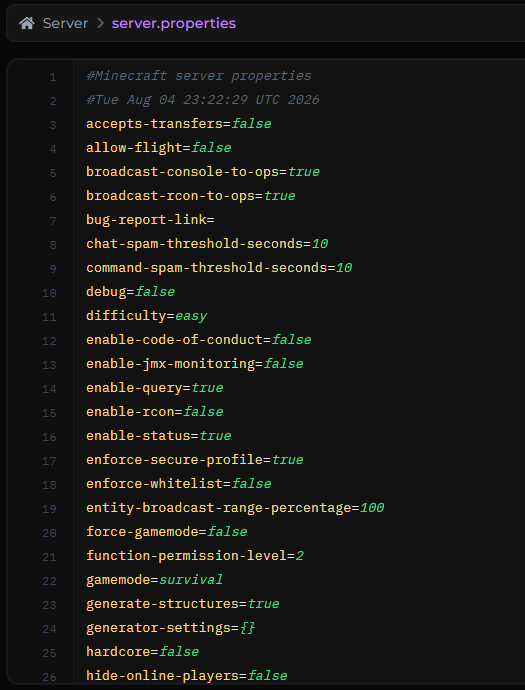
A few things worth knowing before you start editing:
world folder, all in the "Files" section of the game panel or access via SFTP). = is the setting name and must not be changed. Only edit the value to the right./reload command reloads some things, but a restart is the reliable way.)# are comments and are ignored.allow-list, allow-cheats, port 19132, and so on). This guide is Java Edition.If you just want your server set up sensibly, these are the handful most people touch first. Each is explained in full further down.
| Setting | Default | What it controls |
|---|---|---|
motd | A Minecraft Server | The description shown under your server name in the multiplayer list. |
max-players | 20 | How many players can be online at once. ElixirNode provides unlimited players for each Minecraft server hosting package. |
difficulty | easy | peaceful, easy, normal, or hard. |
gamemode | survival | Default mode for new players: survival, creative, adventure, spectator. |
view-distance | 10 | How many chunks the server sends, a big performance lever. |
simulation-distance | 10 | How far from players the world is actively ticked. |
white-list | false | Restrict who can join to an approved list. |
online-mode | true | Verify players against Mojang/Microsoft accounts. Keep this on. |
level-seed | blank | The seed for a brand-new world. |
spawn-protection | 16 | Radius around spawn that non-ops can't build in. |
These control how your server presents itself and how it's reached over the network.
| Setting | Default | What it does & tips |
|---|---|---|
motd | A Minecraft Server | "Message of the day" shown beneath your server name in the list. Supports color/formatting codes. Keep it under ~59 characters or the list may show a communication error. |
server-port | 25565 | The TCP port the server listens on. Leave it at 25565 unless you're told otherwise, most tools and players assume this default. On ElixirNode, this is assigned for you. |
server-ip | blank | Which IP address to bind to. Best left blank so the server listens on all interfaces. Changing it is a common cause of "can't connect." On ElixirNode it's assigned for you by the game panel automatically anyway, so no need to touch it ever. |
max-players | 20 | Maximum simultaneous players. This is a capacity setting, not just a number, more players means more RAM and CPU. Size it to your plan. All ElixirNode plans come with unlimited players so you can set it to as high as you want, but there must be some number (even if a million). |
enable-status | true | Whether the server shows as "online" in the list. If false, it still accepts connections but appears offline. |
hide-online-players | false | Hides the player list from the status ping (players still connect normally). |
accepts-transfers | false | Whether the server accepts players sent from another server via a transfer packet (used by network setups). Leave off unless you're building a proxy/transfer flow. |
prevent-proxy-connections | false | Kicks players whose network location doesn't match Mojang's auth data, a light defense against some proxy/VPN abuse. |
bug-report-link | blank | A URL surfaced to players as a "report bug" server link. Leave blank to hide it. |
Everything about which world loads and how a new one is generated.
| Setting | Default | What it does & tips |
|---|---|---|
level-name | world | The name of the world folder to load. Point it at a different folder to switch worlds. To load an existing world, upload it and set this to its folder name. |
level-seed | blank | Seed for a new world. Blank = random. Note: this only affects generation of a fresh world, it does nothing to a world that already exists. |
level-type | minecraft:normal | World preset: minecraft:normal, minecraft:flat (superflat), minecraft:large_biomes, minecraft:amplified, or minecraft:single_biome_surface. |
generator-settings | {} | Advanced JSON to customize generation, most relevant with the flat and single-biome presets. |
generate-structures | true | Whether structures like villages generate in new chunks. (Dungeons still generate even when this is off.) |
max-world-size | 29999984 | Distance in blocks from world center to the world border. Lowering it caps how far the world generates. |
hardcore | false | Enables hardcore mode on new worlds, permanent death (players are banned/spectator on death), and forced hard difficulty. |
spawn-protection | 16 | Side length of the protected spawn area is 2×value+1: 16 protects a 33×33 square. Set to 0 to disable. Non-ops can't build inside it. |
initial-enabled-packs | vanilla | Comma-separated data packs enabled when a world is created. Feature packs must be added here explicitly. |
initial-disabled-packs | blank | Comma-separated data packs to keep off at world creation. |
| Setting | Default | What it does & tips |
|---|---|---|
gamemode | survival | Default mode for players joining for the first time: survival, creative, adventure, or spectator. |
force-gamemode | false | If true, players are switched back to the default game mode every time they join, rather than resuming the mode they left in. |
difficulty | easy | peaceful, easy, normal, or hard. This affects mob damage, hunger, and more. It also matters for villager mechanics: on Hard, villagers attacked by zombies always become zombie villagers, which you can then cure, see: How to Cure a Zombie Villager for Massive Trade Discounts. |
player-idle-timeout | 0 | Minutes a player can idle before being kicked. 0 = never kick for idling. |
allow-flight | false | Allows survival-mode flight from a fly mod (not creative flight, which is unaffected). Leaving it off kicks players who appear to fly. Turn it on only when a mod or plugin legitimately needs it, common on modded servers (Forge vs Fabric). |
pause-when-empty-seconds | 60 | Seconds with zero players online before the server pauses ticking to save resources. A newer, genuinely useful setting for idle servers, lower it to save CPU faster, raise it if you rely on farms running while nobody's on. |
| Setting | Default | What it does & tips |
|---|---|---|
white-list | false | When true, only players on whitelist.json can join; the standard way to run a private/friends-only server. See How to Create a Minecraft Server Whitelist |
enforce-whitelist | false | When true, reloading the whitelist immediately kicks anyone online who isn't on it. Pair with white-list for strict enforcement. |
op-permission-level | 4 | The permission level granted by /op (1-4). Level 4 is full access, including stopping the server. Lower it if you want ops with limited power. |
function-permission-level | 2 | Default permission level that datapack functions run at (1–4). |
online-mode | true | Keep this on. It verifies every player against the official account database. Turning it off ("cracking") lets unauthenticated clients in and is a major security and griefing risk. A cracked server is also far harder to protect. |
enforce-secure-profile | true | Requires players to have a Mojang-signed chat key. With it off, chat is unsigned and unreportable, and clients see a warning when connecting. |
These are the settings that decide whether your server runs smoothly. If you're fighting lag, start here and make sure your plan has the RAM to back your numbers: see How Much RAM Does My Minecraft Server Need?
| Setting | Default | What it does & tips |
|---|---|---|
view-distance | 10 | Chunks of world data sent to each client (radius). This is one of the biggest performance leverages, every extra chunk multiplies work. Dropping from 10 to 6–8 is the fastest way to cut lag on a busy or low-RAM server. |
simulation-distance | 10 | How far from players the world is actively ticked (mobs, redstone, crops). Reducing this lightens CPU load without shrinking how far players can see, so it's often a better first cut than view-distance. |
entity-broadcast-range-percentage | 100 | How far away entities are sent to clients, as a percentage (10-1000). Lower it (e.g. 50) to reduce entity-heavy lag; players will see distant mobs pop in closer. |
network-compression-threshold | 256 | Minimum packet size (bytes) before compression kicks in. -1 disables compression; 0 compresses everything. The default is fine for most; only tune with a reason. |
max-tick-time | 60000 | Milliseconds a single tick may take before the watchdog force-stops the server as "crashed." Set to -1 to disable the watchdog (useful when debugging long operations, but leave it on normally). |
sync-chunk-writes | true | Writes chunks synchronously to prevent corruption after a crash. Turning it off can reduce I/O stalls but risks data loss, leave on unless you know your storage. |
region-file-compression | deflate | Chunk compression algorithm: deflate, lz4, or none. lz4 trades larger files for faster reads/writes, worth testing on I/O-bound servers. |
use-native-transport | true | Enables optimized packet handling on Linux. Leave on. |
max-chained-neighbor-updates | 1000000 | Caps consecutive block-neighbor updates to stop certain redstone/update loops from freezing the server. Negative disables the limit. |
rate-limit | 0 | Max packets a player can send before being kicked. 0 = off. A blunt anti-flood tool; most people leave it disabled and use a plugin instead. |
| Setting | Default | What it does & tips |
|---|---|---|
resource-pack | blank | Direct download URL for a server resource pack (max 250 MiB). Players are prompted to download it on join. |
resource-pack-sha1 | blank | Lowercase SHA-1 hash of the pack. Strongly recommended as it verifies integrity and lets clients cache correctly. A mismatch prints a warning in the console. |
require-resource-pack | false | If true, players who decline the pack are disconnected. |
resource-pack-prompt | blank | Custom message shown on the resource-pack prompt (chat-component syntax). |
resource-pack-id | blank | Optional UUID identifying the pack to clients. |
Tools for controlling or watching the server from outside the game console. Most casual servers can leave all of these at their defaults.
| Setting | Default | What it does & tips |
|---|---|---|
enable-rcon | false | Enables RCON, a remote console protocol. Convenient, but unencrypted, never expose it to the open internet. If you enable it, restrict access to localhost or a trusted network. |
rcon.password | blank | RCON password. RCON won't start with a blank password, as a safeguard. |
rcon.port | 25575 | TCP port RCON listens on. |
broadcast-rcon-to-ops | true | Sends RCON command output to online ops. |
broadcast-console-to-ops | true | Sends console command output to online ops. |
enable-query | false | Enables the Query protocol, which lets external tools read basic server info (players, MOTD, etc.). |
query.port | 25565 | UDP port Query listens on. |
enable-jmx-monitoring | false | Exposes tick-time metrics via JMX for monitoring tools. Requires extra JVM flags. Niche. |
log-ips | true | Whether player IP addresses appear in the server log/console. Set to false for a more privacy-friendly log. |
status-heartbeat-interval | 0 | Interval for management-server heartbeat notifications. 0 = disabled. |
management-server-* | off / localhost | A newer group (management-server-enabled, -host, -port, -secret, -tls-enabled, -tls-keystore, -tls-keystore-password, -allowed-origins) for the built-in Server Management Protocol, a modern API for controlling the server programmatically. Off by default; leave it unless you're specifically building an integration. |
| Setting | Default | What it does & tips |
|---|---|---|
chat-spam-threshold-seconds | 10 | Controls the anti-spam mechanism that auto-kicks players sending chat too fast. Set to 0 to disable chat-spam kicks. |
command-spam-threshold-seconds | 10 | Same idea, for command spam. 0 disables. |
enable-code-of-conduct | false | When on, the server shows a code-of-conduct file (from a codeofconduct folder) matched to the player's language on join. |
text-filtering-config | blank | Internal chat-filtering configuration used by Realms; not intended for general use. |
text-filtering-version | 0 | Format version for the above (0 or 1). |
If you've followed older guides, you may expect settings like pvp, spawn-monsters, spawn-npcs, allow-nether, and enable-command-block in this file. Recent Minecraft versions have moved several of these gameplay toggles out of server.properties and into world-creation options and game rules instead. What you see depends on your server version:
pvp toggles player-vs-player combat, spawn-monsters/spawn-npcs toggle hostile mobs/villagers, allow-nether controls Nether access, and enable-command-block allows command blocks.The takeaway: don't add these keys back by hand on a version that removed them, it won't do anything. Check what your generated file actually contains first.
Below is a reasonable baseline for a small survival server on a modest plan. Adjust to taste:
motd=Welcome to our server!
max-players=10
gamemode=survival
difficulty=normal
online-mode=true
white-list=true
view-distance=8
simulation-distance=8
spawn-protection=0
pause-when-empty-seconds=60
Lower view-distance and simulation-distance if you add players or notice lag; raise them if you have RAM to spare. Everything not listed keeps its default.
Where is server.properties and how do I edit it?
It's in your server's "Files", alongside the world folder. Access this via the game panel by clicking on "Files" or via SFTP as aforementioned.
Do I have to restart the server after changing it?
Yes. Changes only take effect on restart. Editing while the server is running risks having your changes overwritten when it stops.
Why did my changes reset themselves?
Usually because the file was edited while the server was running, or a value was invalid (the server replaces invalid values with defaults on startup). Stop the server, edit, save, then start, and double-check you only changed the value to the right of the =.
How do I enable PvP or change mob spawning now?
On recent versions these moved out of server.properties. If your file has pvp/spawn-monsters, edit them there; if not, use the matching game rule or world setting.
What's the difference between view-distance and simulation-distance?view-distance is how far players can see loaded terrain; simulation-distance is how far the world is actively running (mobs, redstone, crops). Lowering simulation-distance cuts CPU load while keeping the view wide, which is often the better first move against lag.
Does a higher view-distance need more RAM?
Yes, more loaded chunks means more memory and CPU, and it scales with player count. If you're pushing view-distance up, size your plan accordingly: How Much RAM Does My Minecraft Server Need?
FREE game server, VPS, web host, dedicated IP & more on most plans!
Get Started